Laser Cutting Paper Without Burning: CO₂ Laser Best Practices
Achieving clean, burn-free paper cuts with a co2 laser cutter requires understanding the delicate balance between power, speed, and material response. Paper's low ignition threshold makes it prone to charring, yet optimized CO₂ laser systems deliver precise cuts through controlled wavelength interaction and proper parameter tuning. This guide explores practical techniques and equipment considerations that enable manufacturers, signage professionals, and prototyping teams to produce flawless paper cuts consistently, reducing waste and enhancing product quality across diverse applications.
Understanding the Challenges in Laser Cutting Paper with CO₂ Lasers
When using a laser to cut paper, there are certain issues that need to be looked at by both production managers and engineers. The material is naturally sensitive to heat, which causes problems that directly affect the quality of the output and the speed of the process.
Why Paper Burns During Laser Processing
The cellulose fibers in paper have a starting point of about 450°F (232°C). When a CO₂ laser beam hits paper, it sends out a lot of heat energy that can quickly go over this limit. The 10.6µm frequency that CO₂ lasers send out is easily absorbed by biological materials, which heats up quickly in certain areas. If the energy delivered is higher than the rate at which the paper evaporates, the extra heat moves to nearby areas and can turn the sides brown, char, or even catch fire. This physics problem is especially hard when the laser has to stay in small areas for a long time, like with thin papers or designs with lots of small parts.
Common Operational Issues
Edge discoloration is a common problem for manufacturing teams that makes cuts unsuitable for high-visibility uses like cards, packaging samples, or advertising materials. Cutting depth that changes from one production run to the next is a sign of parameter drift or machine wear. As smoke dust builds up, it damages optical parts, making the beam quality and cut accuracy worse over time. These problems get worse in places with a lot of work, where downtime for cleaning or redoing has a direct effect on arrival times.
Business Impact of Poor Cut Quality
Burn marks mean that the material is useless, and in systems that aren't set up right, rejection rates can hit 15 to 20 percent. Production slows down when workers keep changing settings to get the results they want. Customers are less satisfied when given goods have flaws that make them look bad, which could mean less return business. There were times when companies lost bids because their samples had brown lines that were a clear sign of quality control issues. Mastering burn-free cutting is not a choice; it's necessary because it has a big impact on business efficiency and cost management.
Key Principles Behind CO₂ Laser Cutting Paper Without Burning
Understanding how the science of the laser affect the properties of the paper is the first step to making clean cuts. Accurate measurements and material preparation are necessary for good results.
CO₂ Laser Technology Fundamentals
In a gas mixture containing carbon dioxide, nitrogen, and helium, a laser cutter co2 produces its beam through triggered emission. This makes an infrared wavelength that can easily pass through biological materials, which makes it perfect for working paper. Cutting speed and material diameter are controlled by the power output, which is recorded in watts. Beam focus, which is managed by changing the lens's focal length and height, focuses light into a spot with a width of about 0.1mm to 0.3mm. When you look more closely, the energy density is higher, which can make you more likely to burn if you don't set the speed correctly.
Calibrating Power and Speed for Clean Cuts
The connection between power level and movement speed makes a processing window where melting can happen without the heat spreading too much. When you combine lower power levels with greater speeds, burning is usually lessened. However, if the values drop too far, cutting may not be finished. For normal copy paper, we suggest starting tests at 20–30% power and speeds of 300–400 mm/second. Then, make changes based on what the tests show. For heavier cardboard, the power needs to be raised by 40 to 50 percent while the speed stays the same. Thinner tissue papers, on the other hand, need even softer settings. Pulse frequency is also important. Higher frequencies spread energy more evenly, which lowers the highest temperatures that burn.
Material Selection and Environmental Preparation
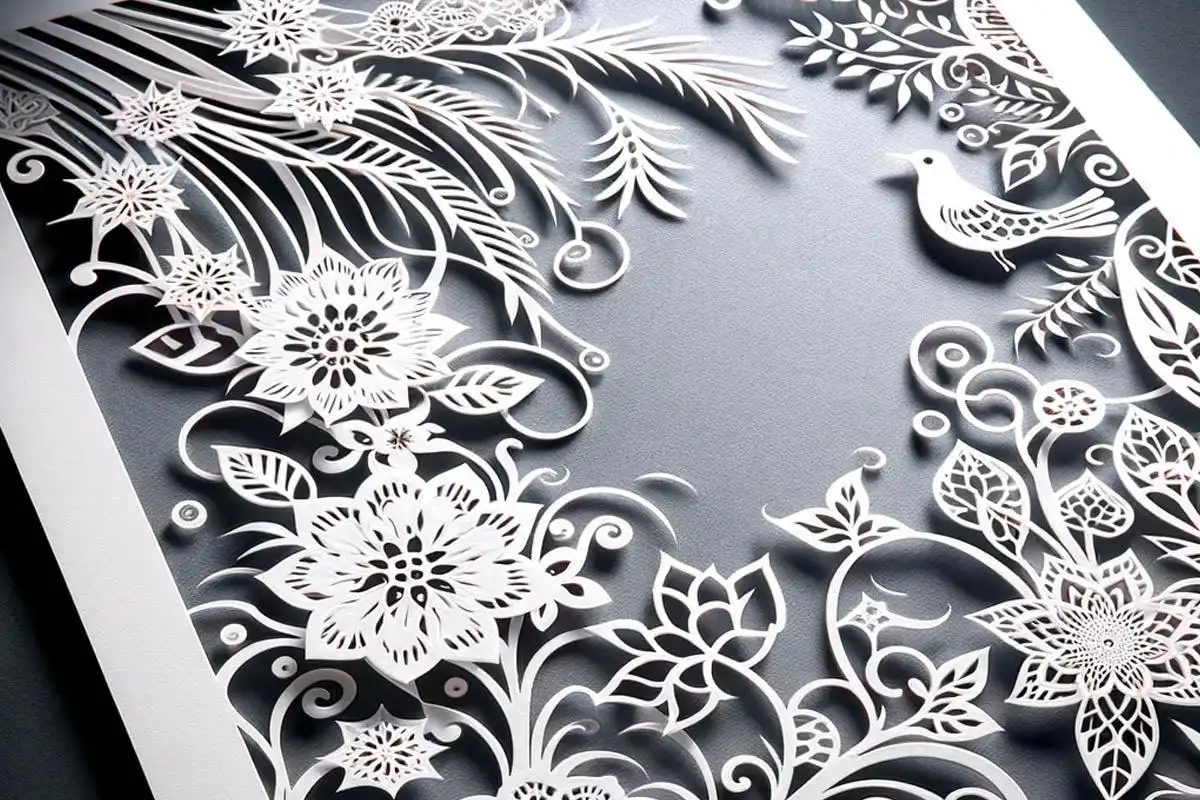
The makeup of the paper has a big effect on how it cuts. It's possible that covered papers with clay or polymer finishes will burn at different temperatures than plain papers. Moisture content changes thermal reaction; paper that is too dry burns more easily. Keeping paper in climate-controlled spaces with 40–50% relative humidity helps make cutting more consistent. Variability can be cut down by letting materials get used to the shop settings for 24 hours before they are processed. Before committing to full production runs, trying sample pieces from each batch first helps find the best settings. This prevents mistakes that could cost a lot of money.
Best Practices and Techniques for High-Quality Paper Cutting
Using organized methods for setting up and maintaining machines guarantees regularly good results for all types of paper and output volumes.
Adjusting Settings for Different Paper Characteristics
The weight of the paper directly affects how much energy is needed. On a properly set co2 laser cutting machine, light papers as thin as 80gsm can frequently be cut smoothly at 15–25% power and speeds of more than 400 mm/sec. 30-45% power at 250-350mm/second is good for medium weights between 80 and 200gsm. Cards heavier than 200gsm may need 50–70% less power and speeds slowed down to 150–250mm/second. Because they have been treated on the outside, coated papers sometimes need 5–10% less power than untreated ones. Putting settings that worked well into a reference database speeds up setup for jobs that will be done again and again and helps train new workers quickly.
Leveraging Air Assist and Fume Extraction
Air help devices blow compressed gas in the same direction as the laser beam, which is very important for many reasons. The wind cools the area that was cut and takes away the heat before it can spread to other parts of the material. It also gets rid of dissolved particles that would otherwise settle back down as soot or get in the way of the beam. Most of the time, setting the air pressure between 15 and 25 PSI gives the best results without disturbing light papers. Fume extraction moves smoke and particles away from the cutting area, which keeps the sights safe and makes the job safer for the user. If the smoke isn't extracted properly, it can stay close to the cut line, where heat from burning materials can start new fires. When properly designed air assist works, temperatures drop by 40 to 60°F at cut edges compared to systems that don't have this feature.
Maintenance Protocols for Consistent Performance
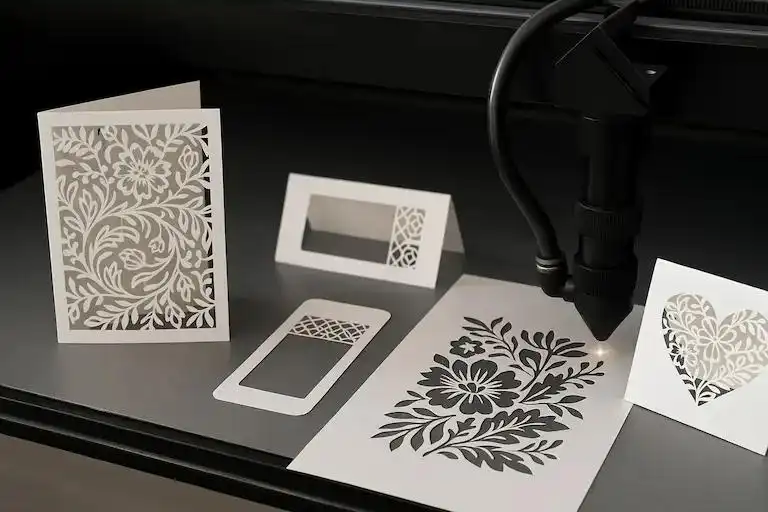
Optical cleaning has a direct effect on the quality of the beam and how well it focuses. In production settings, we suggest checking mirrors and lenses every day and cleaning them with optical-grade chemicals and lint-free wipes whenever they get dirty. When mirrors aren't lined up right, the beam gets distorted, which makes the energy transfer uneven. This shows up as cutting or burning that isn't even on one side of the path. Using target objects for alignment checks every three months keeps the beam's shape at its best. Changing out worn-out tubes stops air help from breaking down. Maintaining the coolant system keeps the tube temperature fixed, since changes in temperature can affect the output power and beam features. These practices keep cut quality high throughout the lifecycles of tools and reduce unplanned downtime.
Systematic maintenance has three main benefits:
1. prevention of gradual performance decline: which operators may not notice until quality problems arise.
2. extension of expensive component lifespans: by lowering thermal and mechanical stress.
3. documentation of equipment history: which helps with troubleshooting when problems do happen.
Facilities that use structured repair plans report 30–40% fewer quality-related production pauses than those that only use reactive methods.
Comparing CO₂ Laser Cutters for Paper Cutting Applications
When choosing the right tools, you have to look at things like power levels, technology options, and machine configurations that are compatible with your output needs and available materials.
High Power vs. Low Power Systems
co2 laser cutter units with lower power, usually between 40 and 80 watts, are great for most tasks when it comes to cutting paper. They have enough power to cut through paper cleanly and offer greater control to keep delicate materials from burning. Higher-power machines (above 100 watts) can cut faster and handle thicker materials, but they can also burn paper if the workers don't carefully control the parameters. When working with only paper and other light materials, it's not usually worth it to invest in a lot of power. But when working with a wide range of materials, like thick paints or wood, it's worth it. For activities that focus on paper, smaller power systems are also more cost-effective, since prices can vary by several thousand dollars between power classes.
CO₂ vs. Alternative Laser Technologies
Fiber lasers use dyed optical fibers to make beams that are mostly used for working metals. Because their wavelength is so short, around 1μm, they have trouble with organic materials. Paper doesn't receive fiber laser energy very well, so much more power is needed, which will burn the paper. When compared to CO₂ systems, diode lasers have lower equipment costs but much lower power density and cutting speed. Their longer wavelength, around 450nm, makes cuts that are less exact and bigger. CO₂ laser technology is still the best choice for paper because its 10.6μm frequency fits the way cellulose absorbs light, making energy transfer efficient with little extra heat production. We tried cuts that are similar across different technologies and found that CO₂ systems always make the cleanest edges with the most accepted parameter range.
Equipment Configuration Considerations
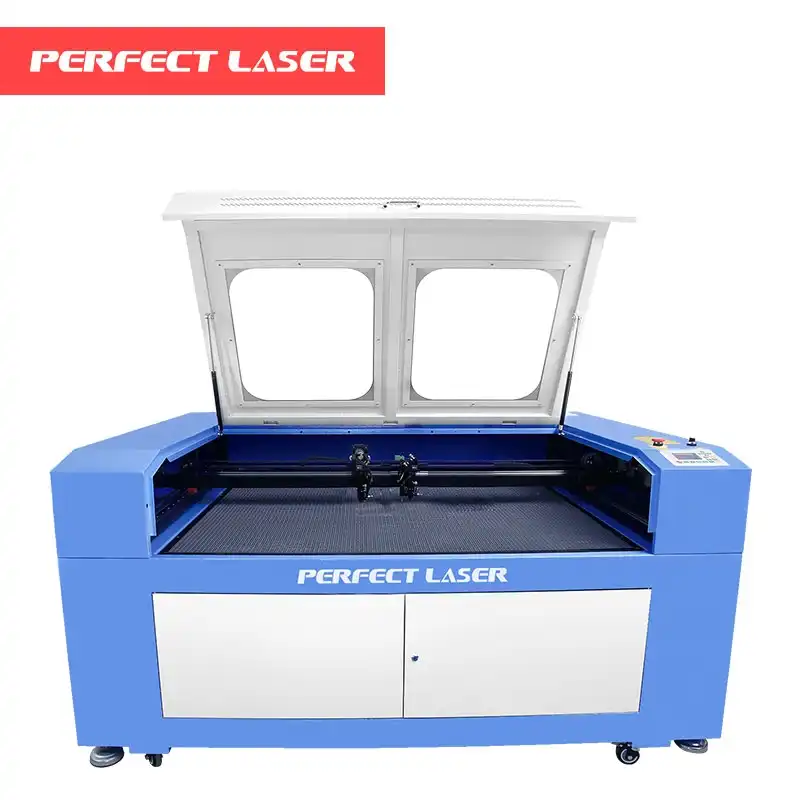
Perfect Laser makes CO₂ laser cutting machine tools that can be set up in different ways to work with different amounts of material and output levels. Our small laser engraving tools have work areas of 600x400mm, 900x600mm, 1300x900mm, and 1600x1000mm. They are perfect for sign shops, businesses that make promotional items, and development centers that work with medium-sized orders. These systems can both cut and engrave, and they come in easy-to-use packages that users can quickly learn. Our flatbed laser cutting tools have larger work areas of 1300x1800mm, 1300x2500mm, and 1600x2600mm for people who make clothes and do large-format work. These models can handle full cloth panels and signage surfaces that are too big, but they still keep the accuracy needed for complex patterns. Both types of tools use precise guide rails and centering systems that give the same results every time the production runs.
Software compatibility affects how well work gets done and how flexible designs can be. These days, CO₂ laser cutters work with common design tools, so you can add vector files directly without having to go through the trouble of converting them first. Real-time parameter change machines let workers fine-tune settings during test cuts, which speeds up optimization. When parts need to be serviced, long periods of downtime are avoided because new parts and consumables are readily available from the maker. When figuring out how much something is worth in the long run, these practical factors often mean just as much as the raw specs.
Procurement Insights: Buying and Maintaining CO₂ Laser Cutters for Paper Cutting
When deciding to buy laser cutting tools, you have to weigh the needs for capability against the available budget while also taking into account the total costs of ownership after the initial purchase.
Cost Ranges and ROI Expectations
Entry-level co2 laser cutter units that can be used to cut paper usually cost between a few thousand dollars and five thousand dollars, based on the size of the work area and the number of features they have. The most expensive systems are the mid-range ones that have bigger sizes and better processing. To figure out the return on investment, you have to guess how much time and money the technology will save, how much material will be wasted because of better cutting, and how much money the new features will bring in. A business that sells advertising items and processes 500 paper items every month might get their money back in 12 to 18 months by cutting down on rejection rates and outsourcing costs. When laser cutting makes it possible to charge more for complicated designs that couldn't be done any other way, businesses that do more of them often see faster returns, sometimes in less than a year.
Warranty and Support Considerations
The terms of the warranty show that the maker trusts the stability of the equipment. Our laser engraving tools come with a two-year warranty that covers both parts and work. This gives you peace of mind during the important adoption time. When questions or problems come up, responsive technology help keeps production as smooth as possible. Help is available 24 hours a day, 7 days a week through our online service, which is especially helpful for buyers from other countries. By emailing, buyers can get in touch with experienced application engineers who can help them find solutions and fix problems. To figure out how reliable a provider is, you need to look into their position in the market. For example, Perfect Laser has been in business since 1995 and has export relationships with clients in Europe, the Middle East, and the Americas, which shows that they are dedicated to their customers' success.
International Logistics and Installation
Coordinating freight forwarding, customs clearance, and delivery operations is needed to ship laser cutting tools across foreign borders. These problems are taken care of by experienced suppliers who provide paperwork and planning that make the process go more smoothly. We ship quickly from our factories, and based on the location, international shipping usually takes two to three weeks. Best practices for installation include making sure there is enough electricity that matches the machine's needs, making sure there is enough air flow to get rid of fumes, and making sure the fixing surfaces are stable so they don't vibrate. Our expert team helps with installation and remote commissioning, walking clients through the first steps of setup and test cuts to make sure everything works right before production starts. This method cuts down on the time it takes to make something and gives operators more faith in the new tools.
Conclusion
To master cutting paper without getting burned with a co2 laser cutter, you need to know how the properties of the material, the laser's physics, and the setup of the tools all work together. Setting the right power and speed levels, using good air assist, keeping up with regular upkeep, and choosing the right tools are all things that can be done to get consistently clean cuts on different types of paper. When production managers and engineers use these methods, they report a big drop in material waste, better product quality, and more efficient operations. As laser cutting technology keeps getting better, these basic ideas will still be useful. They help companies compete in markets where accuracy and quality set successful sellers apart.
FAQ
1. What paper types work best with CO₂ laser cutters?
Most of the time, uncoated papers between 80 and 200gsm give the best results when used with a co2 laser cutter because they have enough weight to handle without needing too much power. Coated papers were cut smoothly with only a few small changes to the parameters. Tissues that are less than 60gsm must be set to very gentle conditions and handled with great care. Stay away from papers that have PVC or shiny foils on them because they give off harmful fumes or reflect laser energy in a risky way.
2. How can I prevent fire hazards during paper laser cutting?
If you leave the equipment running while you're not there, paper ignition can happen quickly if the settings change or the material moves. Install working smoke extraction that gets rid of burning leftovers right away. Fire extinguishers that can put out paper fires should be close at hand. Keep your work areas clean and free of paper bits that could catch fire from shadows or falling hot objects. To stop power fluctuations, check and clean optical parts on a regular basis.
3. What maintenance intervals ensure optimal cutting quality?
Lenses and mirrors in production areas should be checked and cleaned every day to stop pollution from building up over time. Checking the tip once a week finds wear before it makes the air help less effective. Beam shape is kept up by checking the line every month. Service of the coolant system every three months keeps the temperatures fixed. Once a year, trained techs do full inspections that find problems before they become major problems. Writing down maintenance tasks makes a useful history of the tools.
Partner with Perfect Laser for Superior CO₂ Laser Cutting Solutions
Being a co2 laser cutter manufacturer since 1995 gives us a lot of knowledge with the problems that advertising firms, clothing companies, promotional product companies, and fabrication shops face. Perfect Laser's CO₂ laser cutting tools are reliable and well-designed, so they always work the same way, even in busy production settings where paper needs to be cut without getting burned. Different types of work areas can be accommodated by our small and flatbed models. High-accuracy positioning, easy-to-use settings, and powerful engraving tools make your work easier. Email our application specialists at [email protected] to talk about how our laser cutting tools can help you handle paper more efficiently, cut down on waste, and improve the quality of your products. To see what makes Perfect Laser different, you can ask for trial cuts or set up an appointment.
References
1. Steen, W. M., & Mazumder, J. (2010). Laser Material Processing. London: Springer-Verlag.
2. Kannatey-Asibu, E. (2009). Principles of Laser Materials Processing. Hoboken: John Wiley & Sons.
3. Ready, J. F., & Farson, D. F. (2001). LIA Handbook of Laser Materials Processing. Orlando: Laser Institute of America.
4. Ion, J. C. (2005). Laser Processing of Engineering Materials: Principles, Procedure and Industrial Application. Oxford: Butterworth-Heinemann.
5. Chryssolouris, G. (1991). Laser Machining: Theory and Practice. New York: Springer-Verlag.
6. Migliore, L. (1996). Laser Materials Processing. New York: Marcel Dekker Inc.

share your inquiry, get the quotation accordingly.
第一张审核员说包含其他公司不能用_1755049724891.webp)
Perfect Laser – Global Manufacturer of Reliable Laser Solutions


